


About Blubrry Podcasting
We Make Your Podcast Phenomenal
85,000+
Podcasters use PowerPress for WordPress
60,000+
Podcasters use Blubrry Statistics
150,000+
Podcasters use Blubrry Services
19 Years of Podcasting Services
Launched by podcast pioneer Todd Cochrane, Blubrry is among the original podcasting companies. Blubrry now supports 150,000+ podcasters with hosting, distribution, audience statistics, monetization and other tools they need to publish, analyze and grow their podcasts.
Blubrry is for everyone, from the independent podcaster to the commercial podcast network and all levels in between. What started as RawVoice Inc., focused on podcast advertising, moved into bigger things such as statistics and hosting in 2006.
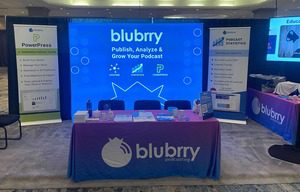
Podcasters have told us they desire:
- Complete control over their podcast
- Full content ownership: RSS feed and podcast website
- Accurate audience and download statistics
- To easily publish podcasts from their own website
- Assistance with podcast growth
- Knowledgeable technical podcast support

Blubrry Podcasting is proud to be certified by The Podcast Standards Project.
Blubrry is proud to be certified by The Podcast Standards Project, a grassroots industry coalition dedicated to creating standards and practices that improve the open podcasting ecosystem for both listeners and creators.
Humble Beginnings
RawVoice, Inc.
The most reputable brand in podcasting started in 2005, connecting podcasters with lucrative advertising opportunities for their show. Our small team quickly grew a thriving community of podcast creators and fanatics. Realizing the potential of podcasting creation they moved into the podcast service sector. Leading them to create…
Hosting, Statistics and Podcaster Growth
Blubrry Podcasting
As you know it now, leading podcast service solution hosting platform for all podcasters. Helping you publish, analyze and grow your podcast.
Learn more about how Blubrry was established.
Over the Years
Meet the Blubrry Team
Favorite Podcast: Sibling Rivalry
Favorite Podcast: Song Exploder
Favorite Podcast: The Bottom Shelf
Favorite Podcast: No Agenda
Favorite Podcast: The Eavesdrop Podcast
Favorite Podcast: The Rich Roll Podcast
Favorite Podcast: Not Another D&D Podcast
Favorite Podcast: Hardcore History
Frequently Asked Questions
Why is your name spelled Blubrry instead of Blueberry?
In the early 2000s, when the company was established, it was actually en vogue to drop vowels from names. Since it represents part of our company heritage, we’ve kept it. In case you were wondering … the name is pronounced just like the fruit.
Who is RawVoice?
RawVoice Inc. is our company established in 2005. Blubrry is the brand name, and RawVoice Inc. is the company name. All services are Blubrry services nowadays.
Are you podcasters?
We were podcasters well before we were a company. The Blubrry team is made up of active podcasters who understand the challenges of building a successful show. You can check out our company podcast, Podcast Insider.
Where can I learn more about podcasting?
Check out our Podcast Manual, updated frequently to the most accurate information on not only how podcasting works but tips on how to have a great podcast experience.